

What Are VPN Protocols And Where Are They Used
VPN protocols are what change how your data is encrypted. Each protocol is different. The speed and encryption for a connection change every time a protocol is changed. This makes a protocol ideal for streaming, gaming, or secure browsing.
- Each VPN protocol offers different benefits, including speed, security, and stability.
- Some VPN protocols are better when using mobile apps, while others are better at streaming and gaming
- Once you have made a choice, you can adjust varying levels of security and performance

What Are VPN Protocols and How Do They Work
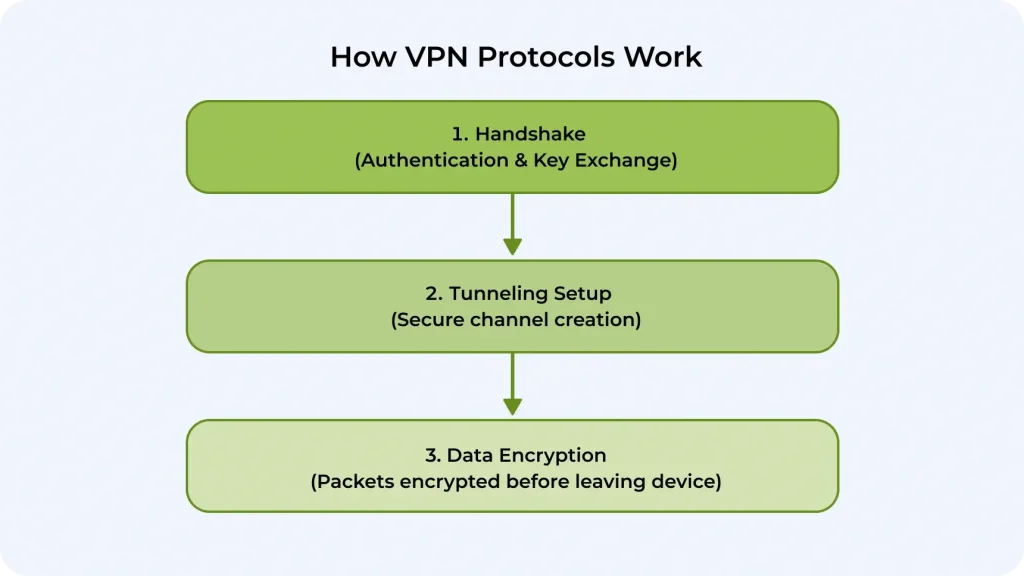
VPN tunneling protocols are instructions that control how your device connects to a VPN server. We will try to explain the whole process in simple words. Your device and the VPN server recognize each other. At this stage, the process of generating encryption keys happens.
The protocol creates a tunnel. This tunnel will serve as a secure channel for your connection. The way your data packets are wrapped depends on the protocol.
Each packet is encrypted using the method defined by the protocol (for example, AES-256 for OpenVPN). The server decrypts it when it arrives, reads the request, and forwards it to the internet.
Why Do You Need a VPN?
A VPN is more than just hiding your IP address. One of the advantages is that you can control your online behavior again. A free VPN for your PC and other popular devices helps encrypt your internet traffic. This protects your connection from hackers, internet service providers (ISPs), and governments. Here are some good reasons to use a VPN:
- Privacy: Your internet provider can’t even see your browser history
- Security: Solid encryption keeps hackers’ noses out of your private information
- Be safe on the Wi-Fi: Avoid cyberattacks when using Wi-Fi in hotels, airports, and coffee shops
Popular Types of VPN Protocols Compared
VPN security protocols are different for each one. Some people prioritize speed, while others prefer security. Some people try to find the right balance between speed and security. If you understand your goals, you can choose the best VPN plan for you. This could be for streaming, gaming, or protecting sensitive data.
StarGuard
StarGuard is a product of Planet VPN. It was created to provide a secure and private connection that also offers high-speed performance. This protocol selects the best server route and encryption method to keep your data safe and confidential.
It’s built for everyday use, such as streaming, browsing, and gaming. It adapts to network conditions to minimize delays and provide a fast and reliable VPN experience.
Pros
- Fast and stable connection
- Optimized for everyday activities
- Strong encryption
- Adapts to network conditions automatically
Cons
- Exclusive protocol that is only accessible with Planet VPN
- May have limited customization options for expert users
OpenVPN
OpenVPN lets you make many customizations because it’s open-source. It works like other solutions, creating an encrypted tunnel for your data. Now, let’s discuss the key difference between TCP and UDP modes.
TCP mode makes sure all your information gets to the right place. This makes it great for things like web browsing and downloading files. UDP mode is faster, so it’s perfect for streaming videos or playing online games. Sometimes, a few bytes of data can be dropped when using UDP mode.
Many cybersecurity professionals trust OpenVPN because it is safe, adaptable, and compatible with all popular devices.
Pros
- Strong security with modern encryption
- Supported by many devices and operating systems
- Transparent due to open-source architecture
- The ideal ratio of security to speed
Cons
- Can be slower than more lightweight protocols compared to OpenVPN
- Difficult to set up manually, especially for casual PC users
- Works best on modern devices, as it consumes more CPU on the old ones
IKEv2
The IKEv2 protocol is the updated and improved version of the IKEv1 protocol. This protocol is helpful because it is reliable and performs well when switching between networks. This is perfect for people who are always on the go and use cell phones. Modern cryptography keeps your data confidential without reducing speed while your internet connection stays stable.
It’s an ideal protocol for users who prefer a smooth experience in everyday activities, like browsing or streaming.
Pros
- Keeps high speed over mobile networks
- Modern encryption standards like AES
- Quickly reconnects after the network interruptions
- Good for streaming, VoIP calls, and browsing
Cons
- Some firewalls known for their strictness can block IKEv2 traffic
- Fever configuration options
- Compared to OpenVPN, many implementations are proprietary or have fewer audits.
WireGuard
WireGuard is another open-source protocol that is smaller and faster than OpenVPN. This protocol is different because it was built with modern technology and the needs of today’s users in mind.
To make it lighter, the creators made its code short. It has precisely 4,000 rows, compared to hundreds of thousands in OpenVPN. The short code makes it easier to spot and remove threats.
WireGuard’s security is also impressive. It uses ChaCha20 for encryption, Poly1305 for message authentication, and Curve25519 for key exchange. These components help establish a secure connection for better encryption and safety.
It runs in system memory, providing better low-latency and high-throughput. This protocol will be great for streaming, gaming, and mobile use.
Pros
- Lightweight, which makes it easier to audit and less vulnerable
- Perfect for mobile devices switching between networks
- Less CPU and battery drain
- Uses modern cryptography
Cons
- Relies on fixed keys, which can weaken anonymity
- Lacks advanced networking options
- May be blocked in heavily restricted networks
L2TP/IPsec
L2TP (Layer 2 Tunneling Protocol) is a tunneling protocol. IPsec (Internet Protocol Security) secures L2TP packets. Because L2TP encapsulates the data twice, as there are 2 of them, L2TP and IPsec, it works more slowly than newer encryption protocols for VPN.
Another problem with this protocol is that it uses UDP ports 500 and 4500, which can cause firewalls to block it. This happens as UDP traffic on those ports gets filtered. Its older design and need for fixed ports make it less suitable for VPNs or fast speeds, even though it’s widely supported by operating systems.
Pros
- Supported by popular operating systems
- Stable connection for easy tasks like browsing
- Decent security
Cons
- Slower due to double encapsulation (L2TP + IPsec)
- Fixed ports do not always get along with fireworks or restrictive networks
- Relies on IPsec for security
- Won’t be great for streaming and gaming
PPTP
The PPTP protocol has been around for a while, as its specifications were published in July 1999. As a result, it passed many security tests, which revealed its weak spots. Unfortunately, it only creates a basic encrypted tunnel for your internet connection, which makes it insecure according today’s standards.
This protocol isn’t suitable for sensitive data, like passwords, banking details, and private messages. It might be quick and compatible with many things, but it is not a security-first feature. This makes it easy for others to take advantage of you online.
Pros
- Fast connection
- Extremely lightweight
- Simple to configure
- Native support on almost all operating systems
Cons
- Weak encryption may lead to data leaks
- Vulnerable authentication
- Not recommended for privacy or security
- Easily blocked by firewalls
SSTP
SSTP (Secure Socket Tunneling Protocol) is known as the most trustworthy protocol available. It ensures your connection is safe because of SSL/TLS encryption, 2048-bit certificates used for authentication, and AES encryption. This makes it very resistant to man-in-the-middle attacks.
It uses TCP port 443, which is for HTTPS. This can allow it to get around firewalls and/or proxy restrictions.
SSTP feels native for Windows because it integrates deeply into the OS and uses its authentication framework. Yet, there is one issue: it allows only a little independent auditing, so its performance is slower than WireGuard or OpenVPN. It’s still good and available for Windows, but it doesn’t work with other operating systems.
Pros
- SSL/TLS encryption and certificate-based authentication offer robust security.
- Deep Windows integration, making it easy to set up without extra software.
- Stable connections even on restrictive networks
- Thanks to TCP port 443 easy to bypass firewalls
Cons
- Because Microsoft developed and manages the protocol, there is less transparency and minimal external criticism.
- Not supported by other OS
- Can perform slower when wrapping VPN traffic in TCP
What’s the Best VPN Protocol in the Planet VPN App?
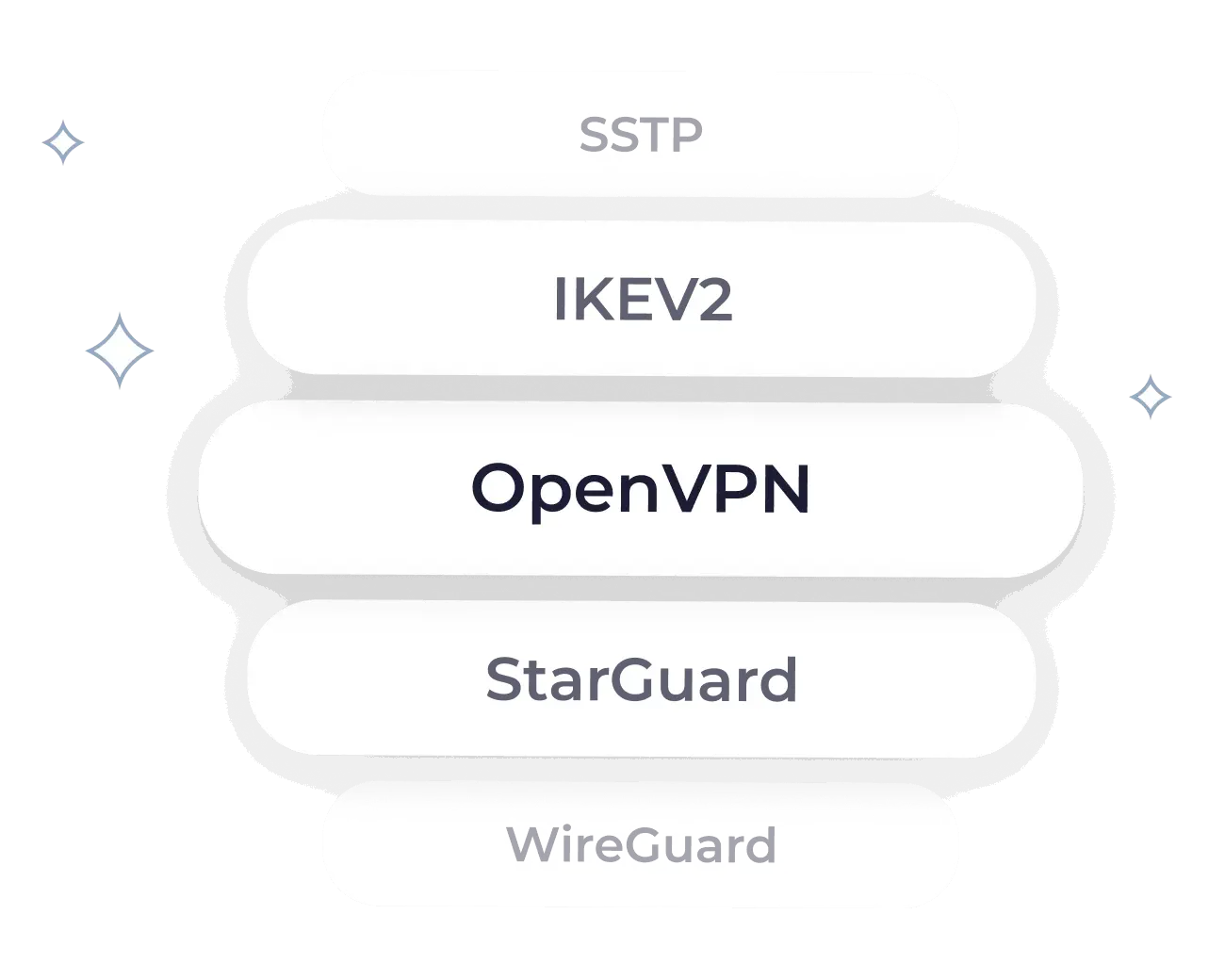
Planet VPN provides its users with 4 different and reliable protocols, including StarGuard, OpenVPN TCP, OpenVPN UDP, and IKEv2. Each of them has its own set of strengths and depends on what you value most.
- The protocol set by default is StarGuard. This protocol has a perfect balance os speed and security, suitable for everyday activities.
- OpenVPN is a fast VPN, so it’s great for gaming and streaming. This makes Planet VPN one of the best free VPNs for Windows.
- IKEv2 is ideal for mobile devices since it guarantees reliability and quick reconnections.
How to Change the Protocol in our App
Changing encryption protocols for VPN in the app is easy, even if you don’t get along with technology. Follow our guide step-by-step to change the protocol without any hassle.
| Step 1 | Download Planet VPN from the official store or follow the link from the official website |
| Step 2 | Open the app, and click on the menu button. Go to the settings after. |
| Step 3 | Click on the name of the protocol, and change to your favorite! You’re ready to go! |
Final Verdict on Types of VPN Protocols
There’s no ’best’ among VPN tunneling protocols. It really does depend on what you prioritize first: security, speed, or anonymity. Here’s a short key takeaway regarding all VPN security protocols used by VPNs.
| Protocol | Speed | Security | Encryption | Best Used for |
|---|---|---|---|---|
| StarGuard | High | High | AES-256 | Everyday browsing & streaming |
| OpenVPN | Medium | Very High | AES-256 | Maximum privacy, stable, and reliable use |
| IKEV2 | High | High | AES-256 / IPSec | Mobile devices, switching networks |
| WireGuard | Very High | High | ChaCha20 | Gaming, streaming, low ping |
| L2TP/IPsec | Medium | Medium | AES-256 (via IPSec) | Basic security |
| PPTP | Very High | Low | MPPE (128-bit) | Legacy use, very fast but insecure |
| SSTP | Medium | High | AES-256 | Windows users |
Planet VPN — The Best VPN Protocols in One App
Get Planet VPN with the best protocols, which you can switch anytime!
- Authentic StarGuard technology
- Optimized for speed, streaming, and security
- Multiple protocols in one app
Frequently Asked Questions (FAQs)
-
What is a VPN protocol, and how does it work?
Planet VPN is 100% free for Windows users. There is no registration, subscription, hidden fees, or limited trial period. You can use the Windows VPN without restrictions.
-
Which VPN protocol is the most secure in 2026?
Rest assured that there are no restrictions on traffic or speed in the free version. You can watch videos, download files, and work on the Internet without restrictions.
-
What is the best VPN protocol for streaming and gaming?
Planet VPN does not store logs of your online activity. We adhere to a strict no-logs policy and privacy, which means complete confidentiality of your data.
-
Which VPN protocol should I choose in the Planet VPN app?
Planet VPN is compatible with Windows 11 free VPN, as well as Windows 10, 8, and 7. The app works stably on both new and older devices.
-
How can I change the VPN protocol in Planet VPN?
Planet VPN is compatible with Windows 11 free VPN, as well as Windows 10, 8, and 7. The app works stably on both new and older devices.