

Best Free VPN for PC Without Registration and Limits
Check out Planet VPN – a reliable and easy-to-use VPN for your Windows PC or laptop. Keep your data safe, get around censorship, and enjoy a free internet without borders.
- Secure traffic encryption and no logs
- Free: servers in 5 countries. Premium: 100+ locations.
- Reliable data protection on Windows, macOS and Linux
- Free Internet without borders
- Simple and easy to use for any PC or laptop
- No time limits on the usage

Available on All Devices and Platforms
Why choose a free VPN for PC with Planet VPN?
Simple Setup
Install free VPN for PC in three steps: download free VPN for PC, install, and connect. Whether you’re on Windows, macOS, or Linux, the intuitive interface will get you started in minutes.

Reliable protection
Planet VPN uses strong security technologies to keep your internet activity private. With AES-256 encryption and modern VPN protocols, your data stays protected from hackers, trackers, and surveillance.

Extensive network of servers
The free version offers 6 locations, while the premium version provides access to over 1,260 high-speed servers in more than 100 locations on five continents, ensuring a stable connection worldwide, from North America to Asia and Australia.

How to Get Started?
Download Planet VPN
Download the Planet VPN desktop application to your PC and start setting up your secure VPN connection.
Install Planet VPN
Install the application by following the simple instructions.
Connect to the server
Open the app, choose a server location, and connect to enjoy secure internet access on your PC.
Additional Planet VPN features for maximum protection and convenience
Planet VPN has some cutting-edge tech that makes your internet connection both secure and adaptable to whatever task you’ve got going on:

Modern connectivity protocols
It supports OpenVPN, IKEv2, and StarGuard solutions, so you can get the both speed and protection. If you’re using an older device or setup, there is no need to worry. L2TP/IPSec is still a viable option.

Smart filters in browsers
Planet VPN’s extensions for Chrome, Opera, Firefox, and Edge have built-in filters that block trackers, phishing sites, and suspicious resources automatically.

Strong encryption
All servers use AES-256, a high encryption standard that guarantees complete privacy and protection of your data.

Kill Switch
It has a built-in feature that instantly disconnects your internet connection as soon as the VPN connection is dropped. This ensures that your real IP address and personal information won’t get leaked.
Planet VPN for PC
Planet VPN gives you reliable protection and complete freedom on the internet on your PC. The desktop application secures your connection, protects your personal data, and helps you bypass online restrictions while browsing, streaming, or working online.
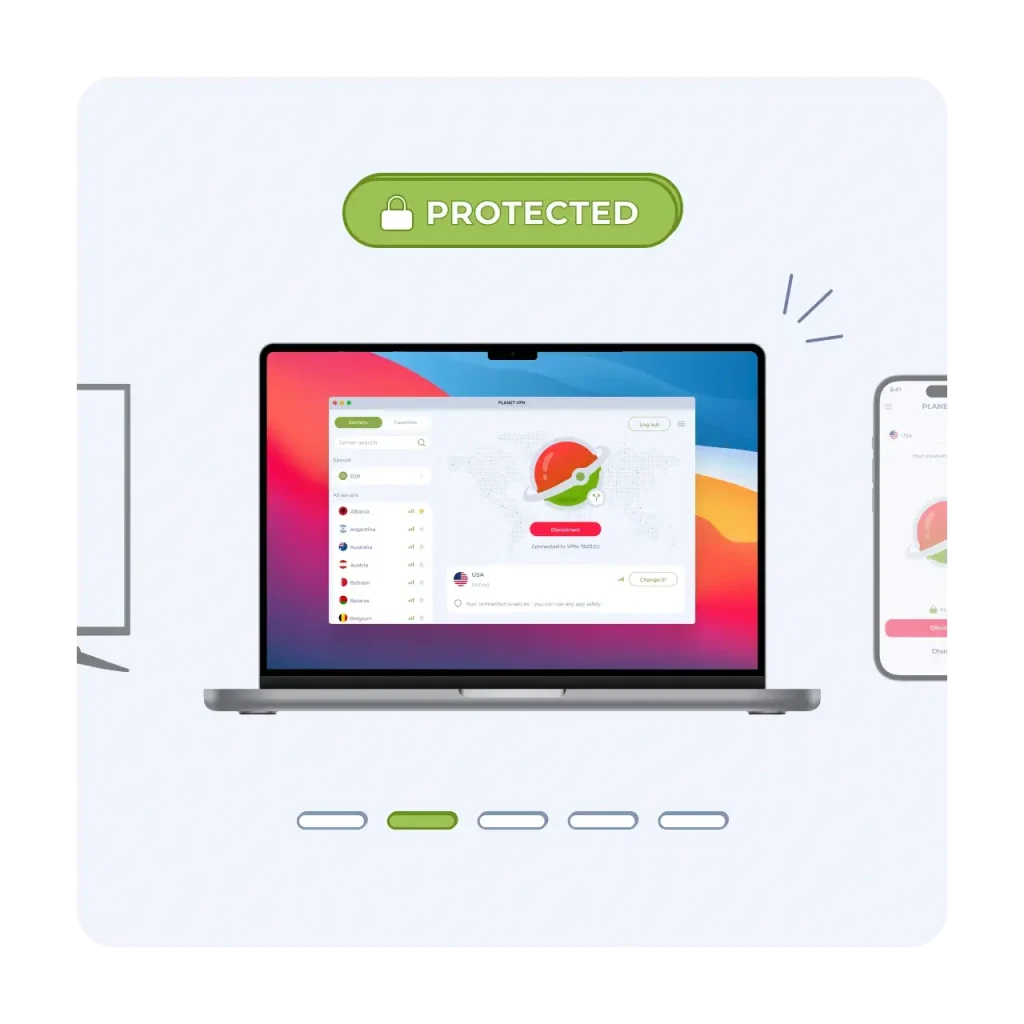
OS compatibility
Windows
Planet VPN supports Windows 7, 8, 8.1, 10, and 11, providing reliable protection for both modern and older systems.
macOS
The application is compatible with modern versions of macOS and optimized for stability and performance.
Linux
Premium plan users can run Planet VPN on popular Linux distributions via CLI or GUI.
Planet VPN advantages

High-speed connection
Our service allows you to enjoy a seamless experience while streaming, gaming online, and surfing the web. Even when connecting to remote servers, you will not encounter any latency or slowdowns.

24/7 support
Our dedicated team is available around the clock to help you with any questions or issues, ensuring prompt and reliable assistance whenever you need it.

One Subscription, Ten Devices
A single subscription allows for the use of up to ten devices. Planet VPN is compatible with up to ten devices, including computers, smartphones, tablets, and routers.
Why Planet VPN Is Trusted by Millions
Worldwide
Verified & Reviewed by Trusted Review Sites

Planet VPN shines in a couple of categories. It supports torrenting and offers robust security features along with a transparent no-logs policy. Plus, its streaming capabilities and speeds have improved thanks to its new StarGuard protocol. On top of that, its free version has no traffic, bandwidth, or time limits, which is uncommon among most VPNs.

I’m pleased with Planet VPN’s transparency and no-logs policy. It does a great job at keeping users secured online. It also has a good server network and is quite user-friendly.

Planet VPN is secure and pretty fast, but it’s only good for torrenting and browsing. It includes industry-standard VPN security features like 256-bit encryption, a kill switch, a strict no-logs policy, and protection and DNS and WebRTC leaks. Planet VPN has an intuitive dashboard that is easy to navigate and allows 10 simultaneous connections.
15M+ Users Worldwide Trust Planet VPN





Frequently Asked Questions (FAQs)
-
Is Planet VPN for PC 100% free?
Yes — the free version costs nothing and needs no credit card. You get core protection, 6 locations, and no time or data limits. You only “pay” by watching a short ad. If you want more — 100+ locations and higher speeds — Premium is there when you need it, but the essentials stay free.
-
What devices is Planet VPN compatible with?
Planet VPN offers a free version for desktop. It runs on Windows, macOS, and Linux, so you can protect your laptop or PC without a subscription. Setup takes three steps: download, install, and connect.
-
How can I get VPN on my PC?
Download the Planet VPN desktop app, install it by following the on-screen steps, then open it and pick a server. Your connection is protected the moment you connect — no technical setup required
-
Does PC have built-in VPN?
Windows includes a basic VPN client, but it’s just a connection tool — not a service on its own. You still need a provider and server details to make it work. An app like Planet VPN handles all of that for you: install it, connect, and you’re protected, with no manual configuration.
-
Is there a 100% free VPN?
Yes. Planet VPN’s free version gives you real protection at no cost — encrypted traffic, 6 locations, and no time limits, with a short ad in exchange. It’s built as permanent core protection, not a trial. Premium simply adds more locations and speed when you want them.