

GTA Not Working: What’s Going On and What to Do
When GTA isn’t working, the cause is rarely one single thing. GTA Online might fail to connect, drop you back to story mode, hang on an infinite loading screen, throw a Rockstar or Social Club error, or crash on launch. Some faults sit on Rockstar’s side, others come from your PC, network, or NAT type, and a tool like Planet VPN only helps with a few of them. This guide walks through each symptom, how to tell a real outage from a local issue, and the fix that actually applies.
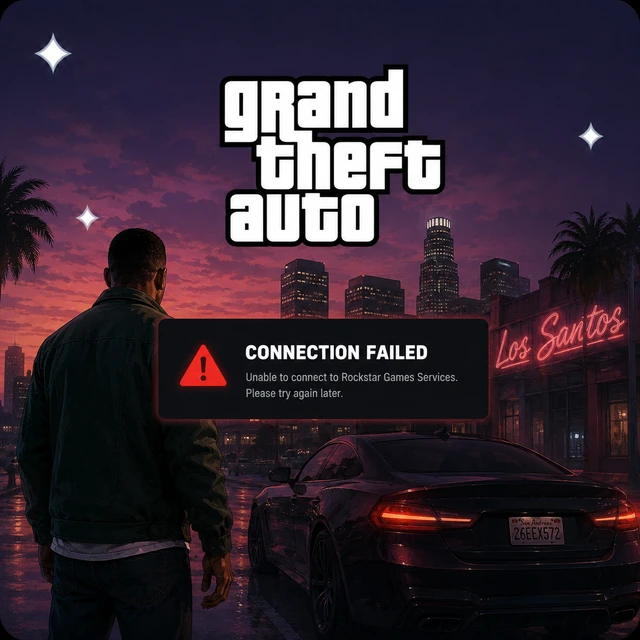
Why Is GTA Not Working?
GTA Online runs through several moving parts at once: the Rockstar Games Launcher and Social Club, your Rockstar account, a stable route to Rockstar’s servers, and peer-to-peer connections to other players. When any one of them slips, you get a connection error or a bounce back to single-player.
The usual causes are Rockstar server maintenance, a Social Club or launcher problem, corrupted game files, a strict NAT type, or an outdated GPU driver. Network blocks matter too, since some school, work, and public Wi-Fi networks block game traffic.
How to Fix
- Check the Rockstar Service Status page before you change anything.
- Sign out of Social Club and back in, then relaunch.
- Verify the integrity of game files on your platform.
- Restart your router, and open your NAT type or enable UPnP.
- Update your GPU driver and restart the PC.
- Add GTA and the Rockstar Launcher to your firewall exceptions.
Is GTA Online Down, or Is It Just You?
A real outage hits everyone at once: “Rockstar Games online services are unavailable,” failed session joins, and “files required to play GTA Online could not be downloaded” across a whole platform. If only you are affected while friends play fine, the problem is local. Rockstar publishes an official Service Status page for exactly this.
How to Fix
- Open the Rockstar Service Status page and check your platform’s dot.
- A green dot means services are fine; yellow or red means wait for Rockstar.
- Look at Downdetector for a spike in reports from other players.
- If services are down, there’s nothing to fix on your side but wait.
- If services are up but you still can’t connect, move to the fixes below.
Tip: Check the Rockstar Service Status page before you troubleshoot. A yellow or red dot next to your platform means the problem is on Rockstar’s end, and nothing you change locally will help until it turns green.
When a VPN Can Help with GTA
A VPN reroutes your traffic and hides your real IP, which helps with some GTA problems and not others. Because GTA Online sessions are peer-to-peer, other players can see your IP, so a VPN for GTA is genuinely useful for hiding it from griefers and targeted DDoS attacks. It also helps when your ISP throttles gaming traffic, when your school, office, or hotel Wi-Fi blocks the game, or when a poor route to Rockstar is adding lag.
A VPN cannot fix a Rockstar outage, a Social Club error, a strict NAT your router controls, or a game crash. If Rockstar’s services are down for everyone, no server change will bring them back. Use a VPN for DDoS protection, routing, and access, not as a cure for every error.
GTA Not Working With a VPN
A VPN can also get in the way. GTA Online’s peer-to-peer matchmaking routes by your IP location, so a distant server can raise your ping and worsen session quality, and Rockstar’s security can flag some shared VPN IPs. Players have historically used a VPN to work around a launcher error, but it’s a band-aid, not a reliable fix.
How to Fix
- If connection errors appear only with the VPN on, toggle it off to test.
- Switch to a different, gaming-optimised server close to your usual region.
- Restart the VPN and start a fresh connection before launching.
- Match the VPN region to the region your Rockstar account plays on.
- Switch protocol or enable obfuscation if your network fights VPNs.
- Flush your DNS cache and enable DNS-leak protection.
Keep it honest: use a VPN to hide your IP and steady your route, not to force past a Rockstar server issue. A distant server usually adds lag, so pick one near you for the best session quality.
Why Can’t I Access GTA?
If GTA works elsewhere but not on one network, something between you and Rockstar is blocking it, or your NAT is too strict. Schools, offices, hotels, and public Wi-Fi often block game traffic, and a strict NAT can stop matchmaking. Occasionally the block runs the other way, and Rockstar’s security rejects a shared VPN or proxy IP.
How to Fix
- Try a different network or a phone hotspot to confirm it’s a network block.
- On restricted Wi-Fi, connect through a VPN to route around the local filter.
- Open your NAT type or enable UPnP so matchmaking can connect.
- If a VPN or proxy IP is being rejected, switch servers or disable the VPN to test.
GTA Won’t Launch

You press Play and nothing opens, or the Rockstar Games Launcher or Social Club fails to start. This usually means a launcher problem, corrupted files, an outdated driver, or security software blocking the game.
How to Fix
- Run the Rockstar Games Launcher as administrator.
- Verify the integrity of game files on your platform.
- Update your GPU driver, then restart.
- Add GTA, the Rockstar Launcher, and Social Club to your antivirus exceptions.
- Reinstall the Rockstar Games Launcher if it won’t open.
- Reinstall GTA as a last resort.
GTA Stuck on Loading or Infinite Loading Screen

GTA Online is notorious for infinite loading screens, or for loading “Join Freemode” and then dropping you back to story mode. This usually means server load, a corrupted cache, or a connection that couldn’t complete the session handshake.
How to Fix
- Check the Rockstar Service Status page for load or maintenance.
- Try loading into an invite-only session first, then switch to public.
- Verify the integrity of game files.
- Clear the launcher’s download cache.
- Restart your router and use a wired connection.
GTA Online Connection and Session Errors
“Failed to host session,” “failed to join session,” and “exiting GTA Online because the session is no longer available” all point to a connection or matchmaking problem. A strict NAT type, server load, or a wobbly route are the usual causes rather than a broken install.
How to Fix
- Check the Rockstar Service Status page first.
- Restart your router and switch to a wired connection.
- Open your NAT type or enable UPnP for better matchmaking.
- Retry from the pause menu, or load an invite-only session first.
- Set your DNS to a public option like 8.8.8.8, or back to automatic.
GTA Rockstar Games and Social Club Errors
On PC, many GTA problems come from the Rockstar Games Launcher and Social Club layer. Error 202 means a connection problem between your IP and Rockstar, error 1014 means Social Club failed to initialize, and a “patch update failed” message means the Social Club update didn’t apply. These aren’t the game itself, but the launcher around it.
How to Fix
- Restart your PC, router, and modem, then retry.
- Set your DNS to Google (8.8.8.8) or back to automatic.
- Delete the Social Club folder in Documents, Rockstar Games, Social Club.
- Uninstall and reinstall the Rockstar Games Launcher, running it as admin.
- Verify the integrity of game files after reinstalling.
GTA Keeps Crashing
Crashes to desktop or freezes usually trace to an outdated GPU driver, an overlay conflict, corrupted files, or overheating. If it only happens on your machine, it’s local rather than a Rockstar outage.
How to Fix
- Update your GPU drivers and Windows.
- Verify the integrity of game files.
- Turn off overlays like Discord and the Rockstar overlay.
- Close background apps and check for overheating.
- Lower graphics settings if crashes happen under load.
- Reinstall if crashes continue after a patch.
GTA Lag and Rubber-Banding
Rubber-banding, warping players, and stutters in GTA Online are usually caused by a strict NAT, packet loss, or the peer-to-peer route between players, not a full outage. A congested Wi-Fi band or background downloads can tip a session into lag.
How to Fix
- Test your ping and packet loss, not just download speed.
- Open your NAT type or enable UPnP to improve peer connections.
- Switch to a wired Ethernet connection.
- Close background downloads and streaming on your network.
- If your ISP routes poorly, a nearer VPN server can steady the path, though it can add ping, so test both.
Common GTA Online Errors

GTA Online mixes plain-language messages with a few numbered launcher errors. Here are the ones players hit most and what to do about each.
| Error | What it means | What to do |
|---|---|---|
| Rockstar Games online services are unavailable | Social Club or Rockstar servers rejected the connection. | Check Service Status, sign out and back into Social Club, and verify files. |
| Failed to host / join session | A connection or matchmaking failure, often a strict NAT. | Check status, restart the router, open your NAT, and retry. |
| Files required to play GTA Online could not be downloaded | The online update files didn’t download cleanly. | Check status, verify files, clear the download cache, and retry. |
| Exiting GTA Online, session no longer available | You couldn’t reach or hold the freemode session. | Retry from the pause menu, restart the game, and check your connection. |
| Error 202 | A connection problem between your IP and Rockstar. | Restart everything, set DNS to Google or auto, verify files, reinstall Social Club. |
| Error 1014 | Social Club failed to initialize. | Uninstall the Rockstar Launcher, remove the Social Club folder, then reinstall. |
| Social Club patch update failed | The Social Club update didn’t apply. | Delete the Social Club folder in Documents, then reinstall the launcher. |
| Infinite loading in GTA Online | A stuck load, often server load or a corrupted cache. | Load invite-only first, verify files, clear cache, and check Rockstar status. |
How to Prevent GTA Problems in the Future
Keep GTA, the Rockstar Launcher, your GPU drivers, and Windows updated, and verify files after big updates. Play on a wired connection with an open NAT type, and make sure you’re on the correct Rockstar account so your progress loads. Check the Rockstar Service Status page before a session. On public or restricted Wi-Fi, and in P2P sessions, connecting through Planet VPN hides your IP and keeps your route stable.
Conclusion
Work from the outside in. Check whether GTA Online is down, then your network and NAT, then the launcher and Social Club, then the game files. Most issues clear within a few steps. If everything on your side is fine but GTA still won’t connect, or you want to hide your IP in public sessions, that’s exactly where a VPN helps.
Frequently Asked Questions (FAQs)
-
1. Why is GTA not working today?
It’s usually a Rockstar outage or maintenance, a Social Club issue, or a local network or NAT problem. Check the Rockstar Service Status page first. If services are green, sign out and back into Social Club, verify your files, and restart your router.
-
2. Is GTA Online down right now?
Open the Rockstar Service Status page and check the dot next to your platform. Green means services are fine, while yellow or red means Rockstar is having issues and you should wait. Downdetector can confirm whether other players are affected too.
-
3. How do I fix ‘Rockstar Games online services are unavailable’?
First check the Rockstar Service Status page. If services are up, sign out of Social Club and back in, verify your game files, set your DNS to Google or automatic, and restart your router. If services are down, you’ll need to wait for Rockstar.
-
4. Can a VPN fix GTA?
A VPN is genuinely useful in GTA Online because sessions are peer-to-peer, so it hides your IP from griefers and DDoS. It also helps with ISP throttling, blocked networks, and poor routing. It can’t fix a Rockstar outage, a Social Club error, a strict NAT your router controls, or a crash.
-
5. How do I fix error 1014 in GTA?
Error 1014 means Social Club failed to initialize, usually a poor connection between your IP and the Rockstar Launcher. Uninstall the Rockstar Games Launcher, delete the Social Club folder in your Documents, then reinstall the launcher and run it as administrator.
-
6. Why does GTA Online kick me back to story mode?
Loading ‘Join Freemode’ and dropping to story mode usually means the session handshake failed, often from server load or a strict NAT. Check the Rockstar status, try an invite-only session first, open your NAT, and use a wired connection.
-
7. Why won’t GTA launch on PC?
Launch failures usually come from the Rockstar Games Launcher, corrupted files, an outdated driver, or antivirus blocking the game. Run the launcher as administrator, verify your files, update your GPU driver, add GTA to your antivirus exceptions, and reinstall the launcher if needed.